Skip to content
Footora Kit
Invoicing for international businesses

Professional invoices.Wherever you do business.

Create and manage everyday invoices in one simple platform, with dedicated ZATCA Phase 1 and Phase 2 modes for Saudi businesses.

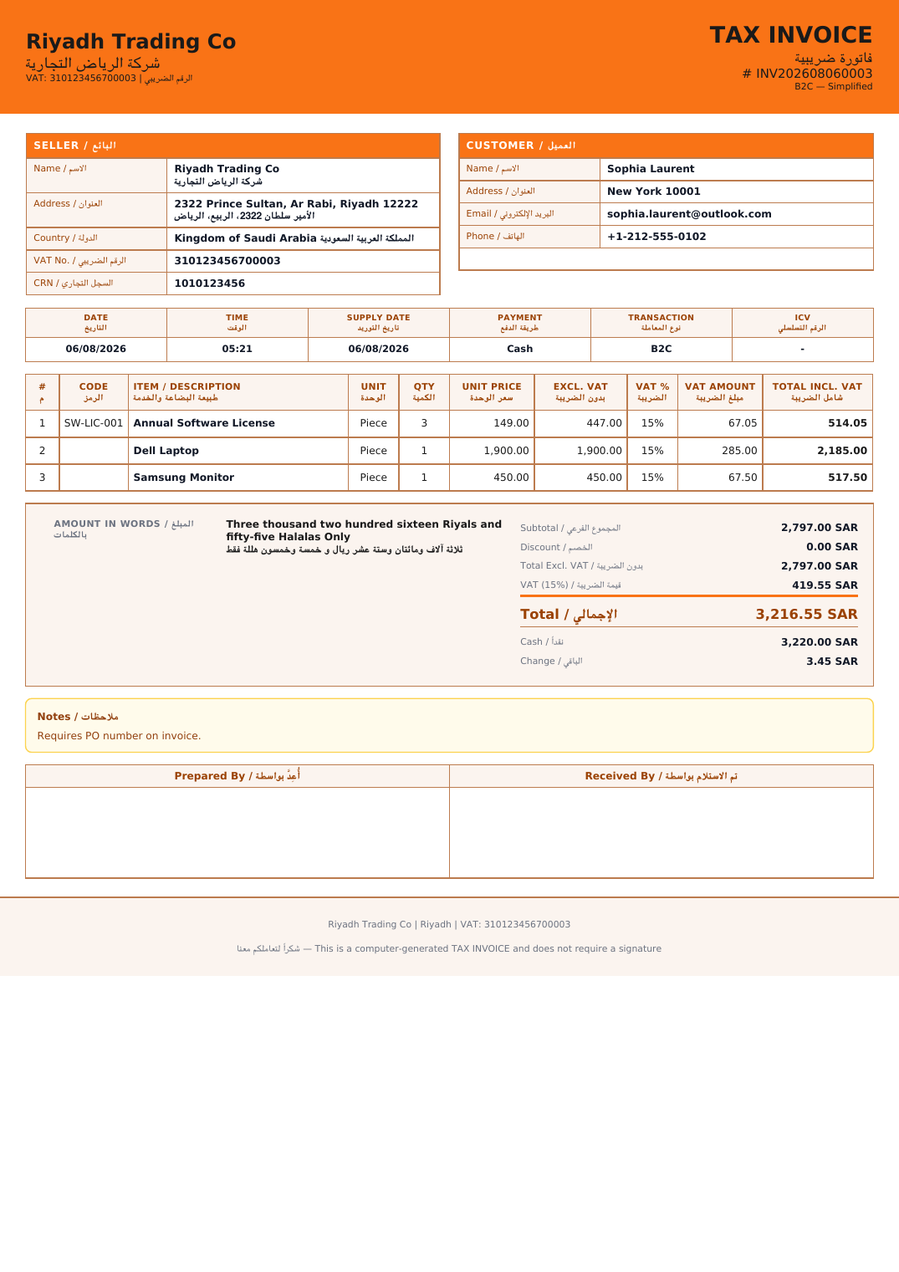
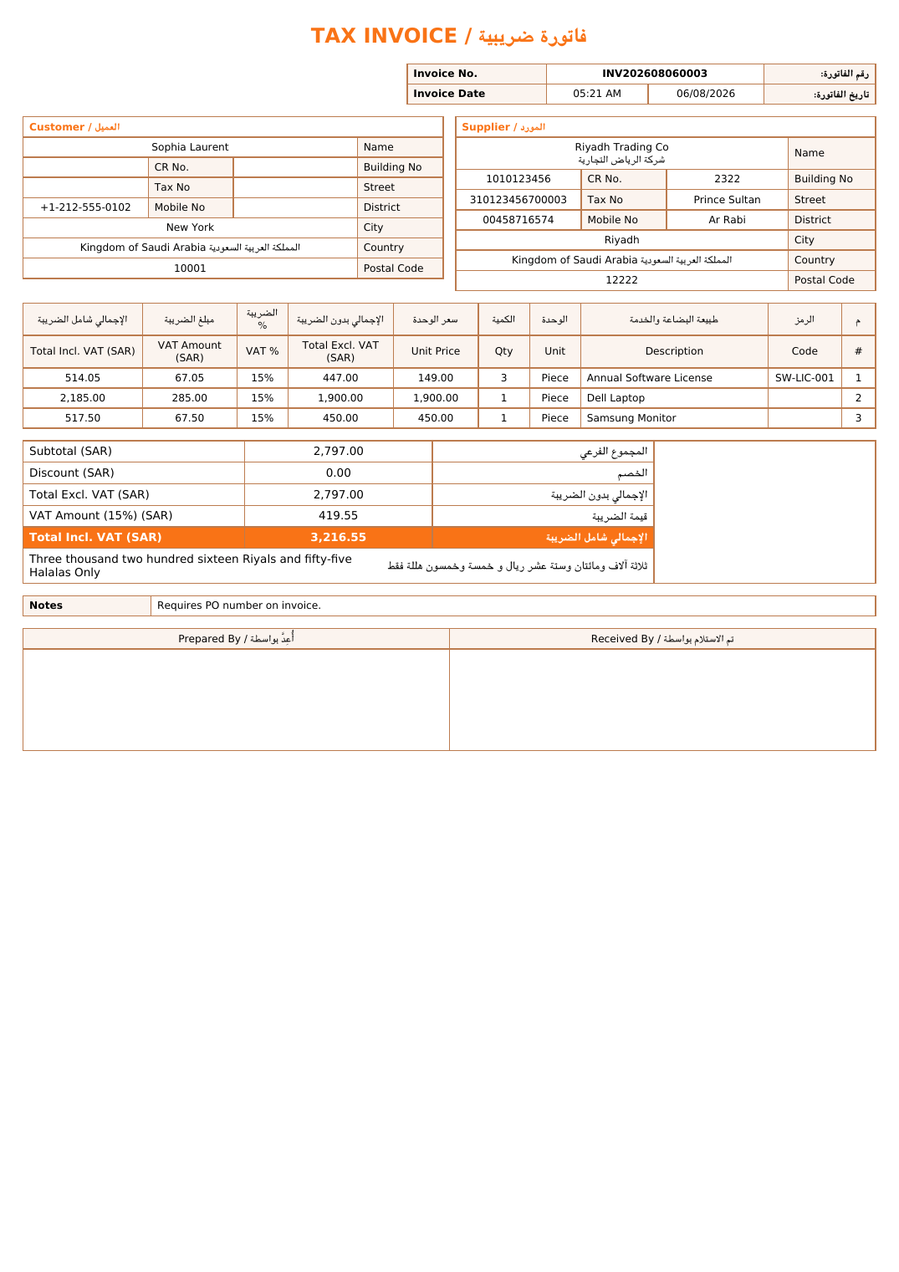
View a sample invoice (PDF)

  • B2B & B2C invoicing
  • Arabic & English
  • Credit & debit notes
  • Team collaboration
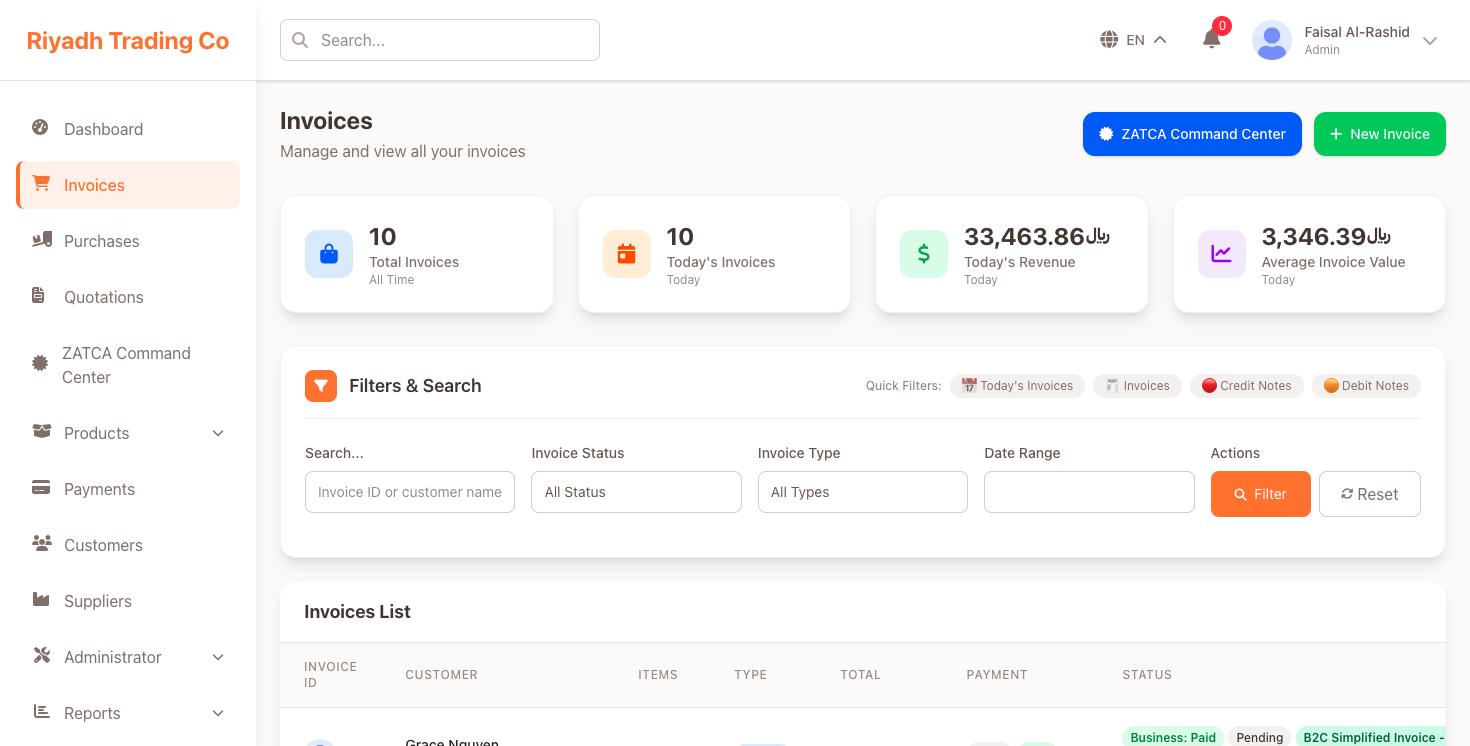
Footora Kit invoices screen showing totals, filters and the invoice list
Invoice workspaceView full size

Real application screen and invoice templates with sample business data.

Invoice Modes

One platform. Three invoicing modes.

Normal Invoice is where most teams start. Add a Saudi ZATCA mode only if you need it.

Start here
01

Global starting point

Normal Invoice

Everyday invoicing for international businesses

Create, send and track professional invoices for customers anywhere. The default mode for most teams.

  • Customers and currencies of your choice
  • Credit and debit notes
  • Arabic and English layouts
02

Saudi specialization

Saudi ZATCA Phase 1

Generation & storage

Electronic invoice generation and storage with QR codes, for businesses in Saudi Arabia.

  • Simplified and standard tax invoices
  • QR code on every invoice
  • Secure invoice archive
03

Saudi specialization

Saudi ZATCA Phase 2

Clearance & reporting integration

Integration for ZATCA clearance and reporting, with submission status tracked per invoice.

  • Submit to ZATCA from the platform
  • Clearance status per invoice
  • Additional onboarding required

Features

Everything your invoices need.

A complete set of tools to manage your invoicing and grow your business.

B2B & B2C invoices

Create and manage invoices for businesses and individual customers.

Arabic & English invoices

Issue invoices in Arabic or English with fully localized, right-to-left layouts.

Credit & debit notes

Adjust issued invoices with credit and debit notes linked to the original.

Customer management

Keep customer details and invoice history together in one place.

Invoice tracking

Follow every invoice from draft to paid, or to ZATCA clearance in Saudi modes.

Team permissions

Give teammates the access their role needs, and nothing more.

How It Works

From sign-up to your first invoice.

Get started in minutes. Saudi modes include a few additional onboarding steps.

  1. 1. Create your account

    Sign up and add your company details.

  2. 2. Choose your mode

    Start with Normal Invoice, or pick Saudi ZATCA Phase 1 or Phase 2.

  3. 3. Start invoicing

    Create and send your first invoice in a few clicks.

Saudi ZATCA modes require additional onboarding, such as business and ZATCA integration details.

Pricing

Plans that grow with you.

Demo plans shown below. Final plans and pricing will be supplied separately.

Demo content. Final plans and pricing to be announced.

Starter

For individuals and small teams getting started.

Pricing to be announcedDemo plan

Feature list to be confirmed

Explore plan
Demo highlight

Business

For growing businesses.

Pricing to be announcedDemo plan

Feature list to be confirmed

Explore plan

Enterprise

For larger organizations with custom needs.

Contact usDemo plan

Feature list to be confirmed

Talk to us

View a sample invoice (PDF)

FAQ

Frequently asked questions.

Quick answers to help you get started with Footora Kit.

Questions? Talk to us.

Reach the Footora Kit team by email or WhatsApp. We can help you choose the right invoicing mode.

  • Email us

    Send us your questions and we will get back to you.

    Send an email
  • Chat on WhatsApp

    Message us directly for quick answers.

    Open WhatsApp

Your next invoice starts here.

Create professional invoices for your business, wherever you operate.

Get started